

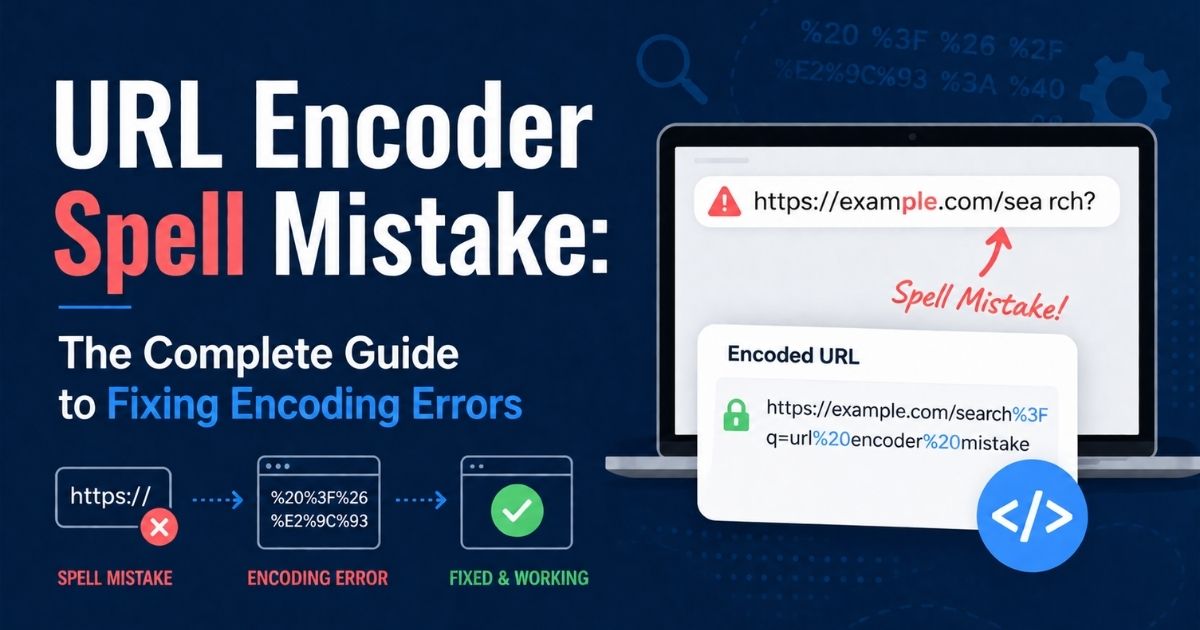
A single misplaced percent sign can take down a checkout page, break a tracking link, or make Googlebot skip a page it once ranked. That’s the real story behind a “URL encoder spell mistake.” It isn’t a typo in the everyday sense. It’s a syntax failure inside the address that browsers, servers, and search engines rely on to talk to each other.
This guide breaks down exactly what causes these errors, how to spot them, and how to build URL systems that don’t fail under pressure. Whether you’re a developer debugging a broken API call or a marketer chasing a dead campaign link, you’ll find practical, tested fixes here.
What Is a URL Encoder Spell Mistake?
A URL encoder spell mistake happens when characters inside a web address are encoded incorrectly, encoded twice, or left unencoded when they shouldn’t be. It’s rarely a spelling error in the traditional sense. Instead, it’s a formatting error in how special characters get converted into the percent-encoded format that URLs require.
Think of it this way: a URL can only legally contain a limited alphabet of characters. Anything outside that set, spaces, ampersands, accented letters, emojis, must be translated into a %XX hexadecimal code before it can travel safely across the internet. When that translation goes wrong, the result is a corrupted link that browsers or servers can’t interpret correctly.
There’s also a second, more casual meaning. Some people type “URL encodr” or “URL encode spellmistake” simply because they’re searching for a URL encoding tool and made a typing slip. That version is harmless. The technical version, where the encoding logic itself is flawed, is the one that actually breaks websites.
Why Correct URL Encoding Matters in Modern Web Systems
Every click, search query, and API request depends on a correctly formatted URL. Websites use URLs to pass data between the browser and the server: search terms, filter selections, session IDs, and tracking parameters all travel inside the address bar.
When encoding is done right, this data moves cleanly and predictably. When it’s done wrong, the consequences show up fast:
- Pages fail to load or return 404 and 400 errors
- Shopping carts lose items mid-checkout
- API requests silently fail or return corrupted data
- Search engines struggle to crawl and index pages correctly
- Analytics tools misattribute traffic from broken campaign links
Modern applications are built from many moving parts: frontend frameworks, backend services, third-party APIs, content delivery networks. Each layer may touch the URL, and each layer is a potential point of failure if encoding rules aren’t applied consistently.
Read More: Latest FeedBuzzard Com: The Ultimate Guide to Smarter Content Discovery in 2026
Understanding How URL Encoding Actually Works
URL encoding, formally known as percent-encoding, is defined by RFC 3986, the technical standard that governs how URLs are structured. The rule is simple in concept: any character that isn’t part of the URL’s “safe” character set gets replaced with a percent sign followed by two hexadecimal digits representing its byte value.
For example:
| Character | Encoded Value |
| Space | %20 (or + in query strings) |
| & | %26 |
| # | %23 |
| = | %3D |
| ? | %3F |
| / | %2F |
| @ | %40 |
Unreserved characters, letters, digits, hyphens, underscores, periods, and tildes, never need encoding. Reserved characters like &, =, and ? have special meaning in URL syntax, so when they appear as actual data (not structure), they must be encoded to avoid confusing the parser.
This is why a search query like “coffee & tea” must become coffee%20%26%20tea before it’s sent. If the ampersand stays raw, the server reads it as the start of a new parameter instead of part of the search phrase, and the request breaks.
The Difference Between URL Encoding and URL Decoding
Encoding and decoding are mirror processes, but confusing the two is one of the fastest ways to create a spell mistake.
- Encoding converts human-readable text into a percent-encoded, URL-safe format. It happens before data is sent, when you’re building a link, submitting a form, or constructing an API request.
- Decoding reverses the process, converting percent-encoded values back into readable text. It happens after data is received, when a server or script needs to interpret what the user actually sent.
The confusion usually starts when developers apply encoding at the wrong stage, or apply it more than once. If a value is already encoded and gets encoded again, the percent sign itself gets converted into %25, producing a garbled string that no longer represents the original data at all.
Read More: VocalNewsMedia Com: A Complete Guide to the Popular Online Content Platform
Common Causes of URL Encoder Spellmistake Problems
Most encoding failures trace back to a small set of repeatable mistakes:
- Manual URL construction. Concatenating strings by hand instead of using built-in encoding functions.
- Encoding the wrong URL segment. Encoding the entire URL, including the protocol and domain, instead of just the query parameters or path segments that need it.
- Using the wrong function for the context. Mixing up encodeURI() and encodeURIComponent() in JavaScript, or similar mismatches in other languages.
- Double encoding. Multiple layers of an application (frontend, backend, proxy, CDN) each encoding the same value independently.
- Copy-paste errors. Pasting a URL from one system into another without checking whether it’s already encoded.
- Unescaped reserved characters. Leaving raw ampersands, equals signs, or spaces inside parameter values.
- Character set mismatches. Encoding UTF-8 text using an ASCII-only method, which corrupts accented letters and non-Latin scripts.
The Hidden SEO Damage Caused by Encoding Errors
Encoding mistakes don’t just break individual clicks, they quietly erode search visibility over time. Search engines crawl and index URLs as unique addresses, so even small encoding inconsistencies can create serious downstream problems.
- Duplicate content signals. The same page reachable through both an encoded and unencoded URL can be treated as two separate pages.
- Wasted crawl budget. Crawlers spend time on broken or duplicate URL variants instead of your most valuable pages.
- Canonical tag conflicts. If canonical URLs aren’t encoded the same way as the pages linking to them, search engines may ignore the canonical signal entirely.
- Lost link equity. External backlinks pointing to a malformed URL variant may not pass ranking value to the correct page.
- Poor click-through rates. Garbled %XX sequences appearing in search snippets look untrustworthy to searchers.
Because these issues build up gradually, many site owners don’t notice the damage until organic traffic has already declined. Regular URL audits are the only reliable way to catch this early.
Real Examples of URL Encoding Mistakes and Fixes
Spaces Inside Search Queries
A raw space inside a URL is invalid. Browsers often auto-correct it, but APIs and scripts usually don’t. The fix is to encode spaces as %20 in path segments or + in query strings, and to never insert unencoded spaces when building URLs programmatically.
Ampersands Breaking Parameters
Since & separates query parameters, an unencoded ampersand inside a value splits it into two unintended parameters. A search for “rock & roll” sent without encoding turns into a query with an extra, broken parameter. Encoding it to %26 keeps the phrase intact as a single value.
Broken UTF-8 Characters
Non-English text, accented letters, or emojis must be encoded using UTF-8 byte sequences. Using outdated encoding methods or the wrong charset produces mangled question marks or boxes instead of the intended characters, which is especially damaging for multilingual websites.
Recursive Double-Encoding
When a value passes through multiple systems that each apply encoding, the percent signs themselves get re-encoded. A single encoded space (%20) becomes %2520 after a second pass. The fix is to encode data exactly once, at the point where it’s about to be transmitted, and to decode it exactly once on receipt.
How Developers Identify URL Encoding Problems
Diagnosing an encoding error is mostly about isolating exactly where the URL breaks:
- Open browser DevTools and inspect the Network tab to see the raw request the application actually sends.
- Compare the broken URL against a known working version, character by character.
- Decode the URL fully before analyzing it, since reading an encoded string directly hides the real issue.
- Check server and application logs for the exact string received, not just the string sent.
- Test the same request across different browsers, since some auto-correct malformed URLs while others don’t.
This systematic approach usually reveals the mistake within minutes, rather than hours of guesswork.
URL Encoding in APIs and Backend Systems
APIs are especially sensitive to encoding errors because they rarely offer the forgiving auto-correction that browsers provide. A malformed query parameter in a REST API call typically results in an outright rejected request or, worse, a request that’s accepted but misinterpreted.
Backend systems should:
- Use language-native encoding libraries rather than custom string replacement logic
- Validate incoming parameters against expected formats before processing them
- Apply consistent encoding rules across every endpoint
- Log both the raw and decoded versions of incoming requests for easier debugging
- Reject malformed requests early instead of attempting to “guess” the intended value
Payment gateways, authentication flows, and third-party integrations are particularly high-stakes areas, since a single encoding failure here can cause failed transactions or broken login sessions.
Frontend vs Backend Encoding Conflicts
One of the most common sources of double encoding is a mismatch between frontend and backend responsibilities. A frontend framework might automatically encode form data before submission, while a backend service also encodes the same value before storing or forwarding it.
To avoid this conflict:
- Decide explicitly which layer owns encoding for each type of data
- Document the encoding contract between frontend and backend teams
- Avoid encoding data that’s already been encoded upstream
- Test the full request pipeline end to end, not just individual components in isolation
Clear ownership prevents the silent compounding of encoding layers that leads to unreadable, broken URLs.
Why Manual URL Construction Is Dangerous
Building URLs by hand, string concatenation, template literals, or manual character replacement, is one of the riskiest habits in web development. It’s easy to forget a single character, miscount hexadecimal digits, or overlook a reserved symbol.
Built-in encoding functions exist precisely because they handle edge cases correctly and consistently: international characters, reserved symbols, and byte-level UTF-8 conversion. Relying on them instead of manual logic removes an entire category of human error from the codebase.
Advanced Troubleshooting for Persistent Encoding Errors
When basic fixes don’t resolve the issue, dig deeper:
- Check for encoding applied at multiple layers. Proxies, CDNs, and load balancers sometimes re-encode URLs without developers realizing it.
- Inspect character encoding settings. Confirm the entire stack, database, application server, and client, uses UTF-8 consistently.
- Audit redirect chains. Each redirect hop is a chance for encoding to be applied again.
- Review third-party libraries. Outdated packages may implement encoding incorrectly or inconsistently with current standards.
- Trace the data lifecycle. Follow a single parameter from user input through every system it touches until it reaches its final destination.
Best Practices to Prevent URL Encoder Spell Mistakes
- Always use native encoding functions instead of manual string manipulation
- Encode data exactly once, as close as possible to the point of transmission
- Decode data exactly once, immediately after receiving it
- Standardize on UTF-8 across your entire application stack
- Write automated tests that cover special characters, spaces, and non-English text
- Document which layer of your architecture is responsible for encoding
- Run periodic URL audits on high-traffic and high-value pages
- Keep URLs as simple and predictable as possible to reduce the surface area for errors
The Role of URL Encoding in Secure Backend Development
Encoding isn’t just a formatting concern, it’s also a security boundary. Improperly encoded input can open the door to injection attacks, request smuggling, and parameter tampering. Attackers sometimes deliberately manipulate encoding to bypass input validation filters, for example, encoding characters that a security check expects to see in plain text.
Secure backend development treats encoding and decoding as validation checkpoints, not just formatting steps. Every incoming URL should be decoded safely, validated against expected patterns, and re-encoded correctly before being used in further requests or stored in a database.
Tools That Help Detect and Fix Encoding Problems
- Browser DevTools for inspecting raw outgoing requests
- Online URL encoder and decoder tools for quickly converting strings during debugging
- API testing platforms for sending controlled requests with specific character sets
- Linting and validation libraries integrated into CI/CD pipelines to catch malformed URLs before deployment
- Site crawling and auditing tools for identifying encoding inconsistencies across large websites
- Log analysis platforms for spotting patterns of repeated encoding failures in production traffic
Using a combination of these tools, rather than relying on just one, gives the clearest picture of where and why encoding breaks down.
Long-Term Maintenance for Stable URL Architecture
Fixing an encoding error once isn’t the same as preventing it from returning. Long-term URL stability requires ongoing discipline:
- Schedule regular audits of site-wide URL structures, not just after a launch
- Monitor server logs for spikes in 400 or 404 errors tied to malformed requests
- Keep encoding libraries and frameworks updated to current standards
- Train development teams on the difference between encoding functions and when to use each one
- Maintain clear internal documentation covering how your architecture handles encoding at every layer
Treating URL hygiene as an ongoing practice, rather than a one-time fix, is what separates stable, high-performing websites from ones that quietly bleed traffic and conversions over time.
Final Thoughts
A URL encoder spell mistake might look like a minor technical detail, but it sits at the intersection of user experience, SEO performance, API reliability, and application security. The good news is that these errors are entirely preventable. Understanding how percent-encoding actually works, using trusted native functions instead of manual logic, and maintaining clear ownership between frontend and backend systems eliminates the vast majority of encoding failures before they ever reach production.
Start by auditing your highest-traffic URLs today. Decode them, inspect their structure, and confirm they’re transmitting exactly the data you intend. A little consistency now saves a lot of debugging, and lost traffic, later.
FAQs
Can a URL encoder fix spelling mistakes?
No. A URL encoder only converts characters into a safe format; it doesn’t check or correct language spelling at all.
What is the difference between encodeURI and encodeURIComponent?
encodeURI encodes a full URL while leaving reserved structural characters intact, while encodeURIComponent encodes individual values, including reserved characters like & and =.
Why does double encoding happen?
It happens when multiple systems, such as a frontend app and a backend service, each encode the same value independently.
Does URL encoding affect SEO rankings?
Yes. Incorrect encoding can create duplicate URLs, waste crawl budget, and break canonical signals, which can reduce organic visibility.
How do I know if a URL is already encoded?
Check for percent signs followed by two hex digits, like %20 or %26; if you’re unsure, decode it first to see the readable version before deciding.
Is URL encoding the same across all programming languages?
The underlying RFC 3986 standard is the same, but the exact function names and default behaviors vary between languages, so always check your language’s documentation.