

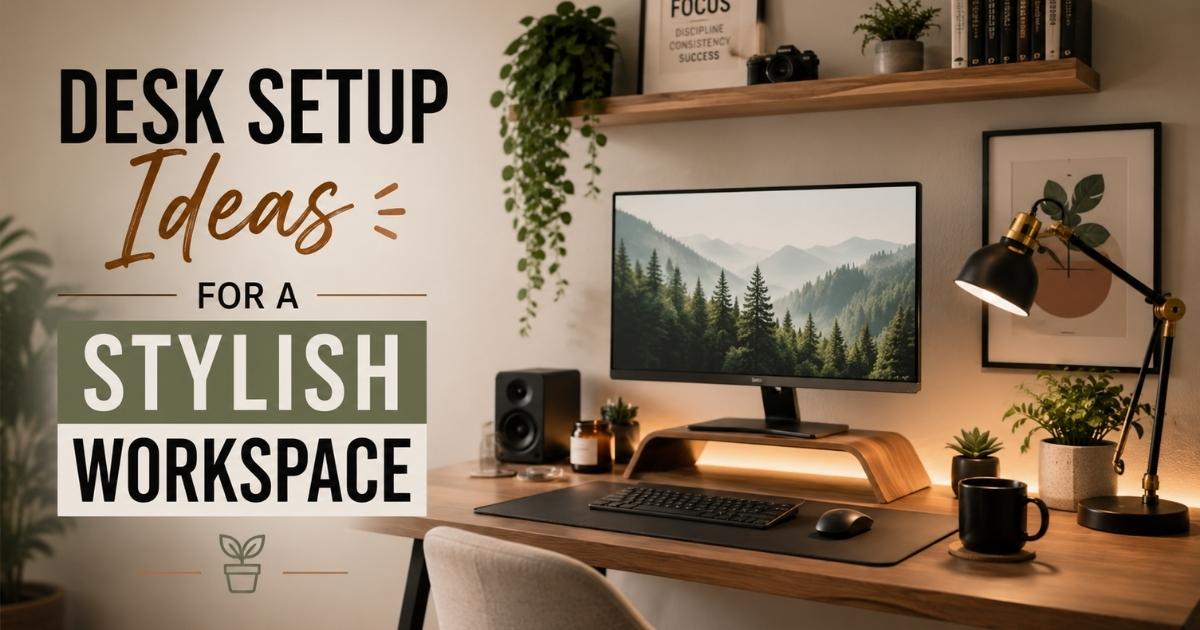
Whether you work from home full-time, game on weekends, or just need a dedicated corner to stay organized, your desk setup matters more than you think. A well-designed workspace directly impacts your focus, comfort, mood, and output. The good news? You don’t need a massive budget or a designer to pull it off.
In this guide, you’ll find 42 practical and stylish desk setup ideas, from ergonomic essentials to aesthetic finishing touches, that will help you build a workspace you actually love sitting at.
1. Choose the Right Desk
Everything starts with your desk. The size, shape, and material set the tone for your entire setup. A solid wood desk brings warmth and character, while a sleek white or glass surface creates a modern, minimal feel. Consider your available space carefully. L-shaped desks work well in corners and offer generous surface area, while a narrower writing desk suits compact rooms.
Make sure the desk height suits your body. Standard desks sit around 28 to 30 inches tall. If you feel cramped or stretched, that’s your first problem to solve.
2. Elevate Your Monitor
A monitor sitting flat on your desk almost always results in a downward viewing angle, which strains your neck over time. Raising your screen so the top of the monitor aligns with eye level is one of the most impactful ergonomic adjustments you can make. Use a sturdy monitor arm or a riser stand to achieve this. Monitor arms also free up valuable desk real estate underneath, giving you room for a keyboard, notebook, or desk pad.
3. Opt for a Laptop Stand Setup
If you primarily work on a laptop, a dedicated laptop stand is a game-changer. It lifts your screen to eye level, improves airflow under the device, and pushes you toward using an external keyboard and mouse, which is far better for your wrists and posture. Wooden laptop stands in particular add a premium, clean aesthetic to any setup, fitting beautifully within both minimalist and warm, natural desk themes.
4. Incorporate a Desk Pad
A large desk pad (also called a desk mat or blotter) does more than protect your desk surface. It unifies all your peripherals, keyboard, mouse, notebook, and coffee mug, under one clean surface. It also reduces noise from typing and mouse movement. Choose a leather-look pad for a professional vibe, a felt mat for a cozy Japandi aesthetic, or a cork-and-felt combination for an eco-friendly touch.
5. Use a Comfortable Keyboard and Mouse
Your keyboard and mouse are two things your hands touch for hours every day, so investing in quality here pays dividends. Mechanical keyboards offer satisfying tactile feedback and last for years. Low-profile wireless keyboards keep the desk looking clean and uncluttered. Pair your keyboard with an ergonomic mouse that fits your hand naturally and reduces wrist strain. Matching the colors of your keyboard and mouse to your desk’s color scheme is a small touch that makes a surprisingly big visual difference.
6. Optimize Monitor Setup
For multitaskers, content creators, and coders, a dual monitor setup dramatically improves efficiency. Research consistently shows that working across two screens reduces time switching between windows and increases overall output. Position your primary monitor directly in front of you and the secondary one at a slight angle. If a dual monitor setup isn’t practical, consider an ultra-wide curved monitor as a sleek, single-screen alternative.
7. Use Drawer Dividers
Desk drawers have a tendency to become a black hole for cables, stationery, and random items. Drawer dividers solve this instantly. They keep pens, sticky notes, small cables, and accessories neatly separated so you can find anything in seconds. Bamboo or acrylic dividers look great if you ever open your drawers in view of others on a video call.
8. Add a Desk Shelf or Organizer
A raised desk shelf creates a two-tier workspace, letting your monitor sit elevated while your keyboard sits below at a natural typing level. It also gives you display space for small plants, a speaker, a candle, or a framed photo. Desk organizers with compartments for pens, scissors, sticky pads, and charging cables keep your surface tidy without sacrificing accessibility.
9. Install a Monitor Light Bar
A monitor light bar clips onto the top of your screen and casts a focused beam of light downward onto your desk without creating screen glare. This is especially useful in dimly lit rooms or for late-night work sessions. Look for a model with adjustable color temperature (warm to cool) and brightness settings. Unlike a traditional desk lamp, a monitor light bar doesn’t take up desk space and delivers cleaner, more even task lighting.
10. Choose a Lamp or Desk Lamp
Even with overhead lighting, a desk lamp is essential for targeted task lighting. It reduces eye strain and creates a warm, inviting atmosphere. A minimalist arc lamp or a height-adjustable LED desk lamp with a built-in USB charging port is both functional and stylish. For a cozy aesthetic, opt for warm-toned bulbs in the 2700K to 3000K range. For focus and productivity, a cooler white light around 4000K works better.
11. Use Cable Management Solutions
Nothing sabotages a beautiful desk setup faster than a tangled mess of cables spilling across the floor or dangling off the back of your desk. Invest in cable clips, velcro ties, under-desk cable trays, and a cable spine to route wires cleanly behind your setup. A wireless keyboard, mouse, and charging pad further reduce visible cables at the surface level. Cable management is the detail that separates a good-looking setup from a great one.
12. Include House Plants
Plants bring life, calm, and color to any workspace. They also genuinely improve air quality. Low-maintenance options like succulents, snake plants, pothos, and ZZ plants thrive indoors with minimal watering. A small potted plant placed near a monitor or on a floating shelf above the desk adds a natural, organic element that softens the hard lines of tech equipment. Even a single plant makes your space feel more human and less sterile.
13. Add a Footrest
If your feet don’t rest flat on the floor while seated, a footrest is a must-have ergonomic accessory. It takes pressure off your lower back and thighs, making long desk sessions significantly more comfortable. Adjustable footrests let you find the ideal angle for your posture. It’s a small addition that most people overlook until they try one, and then they wonder how they ever sat without it.
14. Invest in an Ergonomic Chair
Your chair is arguably the single most important investment for your workspace. A quality ergonomic chair supports the natural curve of your spine, reduces lower back strain, and lets you sit comfortably for extended periods. Look for adjustable lumbar support, seat height, armrests, and tilt tension. Top options like the Herman Miller Aeron, Secretlab Titan, or even mid-range ergonomic chairs from brands like Sihoo or Flexispot offer excellent support without requiring a four-figure budget.
15. Utilize Vertical Space with Pegboard
Pegboards are one of the most versatile desk organization tools available. Mount one on the wall behind your desk and use hooks, shelves, and bins to hang headphones, store notebooks, display plants, and keep accessories off your desk surface. You can rearrange it any time your needs change. Pegboards are especially popular in creative and gaming setups where having gear accessible, yet organized, is a priority.
16. Incorporate RGB Strip Lights
RGB strip lights mounted behind your monitor or under your desk add a dramatic ambient glow that completely transforms the mood of your workspace. They’re popular in gaming setups but work equally well in creative or streaming environments. Choose a strip with app control or remote adjustability so you can shift between colors depending on the time of day or task. A soft warm amber in the evening and a crisp white during focused work sessions can make a real difference to how your space feels.
17. Try a Wooden Sound Diffuser
A wooden sound diffuser placed on a wall near your desk absorbs and scatters sound waves, reducing echo and improving the acoustics of your space. This is particularly valuable if you record audio, participate in frequent video calls, or simply find a reverberant room distracting. They’re often made from slatted wood panels and double as attractive wall art, making them one of the most practical-yet-stylish additions to a home office.
18. Choose a Noise-Canceling Headphones Stand
If you own a quality pair of headphones, they deserve a proper stand rather than being draped over a monitor or left on the desk. A dedicated headphones stand keeps them accessible, prevents damage to the ear cushions, and adds a clean, intentional look to your setup. Wooden or aluminum stands complement most desk aesthetics. Some stands even include a built-in USB hub or charging pass-through for added functionality.
19. Consider a Standing Desk Converter
Not ready to replace your existing desk? A standing desk converter sits on top of your current surface and lets you raise your monitor and keyboard to a standing height on demand. They’re a cost-effective way to introduce movement into your workday without committing to a full standing desk purchase. Look for a model with smooth height adjustment and enough surface area to hold both a monitor and keyboard comfortably.
20. Think about a Standing Desk for Dynamics
A motorized height-adjustable standing desk is one of the best investments for anyone who spends long hours at a desk. Alternating between sitting and standing throughout the day reduces back pain, improves circulation, and boosts energy levels. Many models let you program your preferred heights so transitions are instant. Brands like FlexiSpot, Uplift, and Autonomous offer solid options at a range of price points.
21. Choose the Right Location
Where your desk sits in a room affects everything from lighting to noise levels to how motivated you feel when you sit down. Avoid placing your desk directly facing a wall with nothing to look at, this can feel oppressive over time. A position near a window with a view, or with a well-decorated wall ahead of you, is far more inspiring. Also consider foot traffic patterns in your home so your workspace doesn’t become a distraction zone for others.
22. Utilize Natural Light
Natural light is the gold standard for workspace illumination. It reduces eye fatigue, supports a healthy circadian rhythm, and makes any space look better on camera. Position your desk so natural light comes from the side rather than directly behind or in front of your monitor, both of which cause glare or silhouetting issues. If your room lacks windows, full-spectrum light bulbs mimic daylight and offer a convincing substitute.
23. Install a Cork Board or Cork Wall
A corkboard above your desk is a simple but effective tool for pinning notes, inspiration images, schedules, reminders, and mood board elements. It keeps your desk surface clear while giving you a dedicated vertical information space. For a more dramatic effect, cover an entire wall section behind your desk in cork tiles, this creates a textured, warm backdrop that looks intentional and sophisticated on video calls.
24. Try a Neon Sign or Word
A custom neon sign or LED neon word adds personality and atmosphere to your workspace. Choose a word that motivates or resonates with you, “Create,” “Focus,” “Hustle,” or even your name. These signs work particularly well in content creator or gaming setups and provide great background lighting for streaming. LED neon signs are energy-efficient, don’t generate heat, and come in dozens of font styles and colors.
25. Utilize Filing Cabinets
If you deal with physical paperwork regularly, a compact filing cabinet under or beside your desk keeps documents organized and off your work surface. Slim lateral filing cabinets fit neatly under many desk designs and can double as extra seating with a cushion on top. Choose a finish that matches your desk, white, black, or wood tones, to maintain a cohesive look throughout your workspace.
26. Put a Digital Clock or Timer on the Desk
A digital clock or timer on your desk helps you stay time-aware during deep work sessions without constantly grabbing your phone (and getting distracted by notifications). Pomodoro-style timers that count down in focused work intervals are especially popular among productivity-focused professionals. A minimalist LED or e-ink desk clock also adds a sleek decorative element to your surface.
27. Add a Mini Bookshelf or Cube Unit
A small bookshelf or cube storage unit beside your desk adds both storage capacity and visual interest. Use it to display books relevant to your work, small plants, framed photos, or collectibles that reflect your personality. It creates a layered, lived-in look that makes your workspace feel curated rather than cold. A cube unit with a mix of open and closed compartments gives you flexible storage for both display and hidden clutter.
28. Set up a Creative PC Case
If you have a desktop PC, your tower doesn’t have to be hidden under the desk. A visually striking case with tempered glass panels, RGB internals, and clean cable management can become a genuine focal point of your setup. Place it on your desk or on a raised platform beside it. A well-built custom PC case signals craftsmanship and attention to detail, and it looks incredible in photos or streams.
29. Decorate with an Air Purifier
A compact desktop air purifier does dual duty: it improves the air quality in your workspace and, when chosen thoughtfully, serves as a modern decorative piece. Brands like Dyson and Levoit make models that are as visually appealing as they are functional. Cleaner air reduces fatigue and headaches, both common complaints from people who spend long hours in enclosed home offices.
30. Make Use of Speakers
Great audio enhances focus, creativity, and enjoyment during work. A pair of compact bookshelf speakers or a quality Bluetooth speaker placed on your desk or a nearby shelf delivers far better sound than laptop or monitor speakers. Choose a speaker that complements your setup aesthetically. Wooden-bodied speakers suit warm, natural desk themes; matte black or white speakers fit modern and minimal setups perfectly.
31. Put on LED Light Beams
LED light bars or beam lights mounted on the wall behind your monitor or along ceiling edges create a layered, atmospheric glow that elevates the overall mood of your space. Unlike strip lights, beam-style LEDs project structured lines of color onto walls and ceilings, creating a dynamic, immersive effect. They’re particularly effective in gaming or streaming setups where visual impact matters.
32. Use Nanoleaf Lighting
Nanoleaf panels are modular LED light tiles that attach to your wall in custom geometric patterns. They’re fully app-controlled, can sync with music or on-screen content, and come in triangles, hexagons, and squares. They serve as both a light source and a piece of wall art, making them one of the most visually impressive additions you can make to a creative or gaming workspace.
33. Add Floating Shelves Above the Desk
Floating shelves installed above your desk expand your storage and display space without consuming any floor area. Use them to house books, plants, small speakers, collectibles, or framed art. Stagger shelves at different heights for a dynamic, gallery-wall effect. Keep them from looking cluttered by following the rule of odd numbers, group items in threes or fives for a naturally balanced arrangement.
34. Tidy up with Magnetic Strips
Magnetic strips mounted on the wall near your desk are a clever organizational solution for metal accessories. Use them to hold scissors, craft tools, small metal tins of stationery, or magnetic cable clips. In a minimal setup, a slim magnetic strip keeps frequently used tools off your desk surface while remaining completely accessible. They work especially well in creative or maker spaces where tools are used frequently throughout the day.
35. Use Oil Diffuser or Scent Candle
Scent is a surprisingly powerful productivity tool. Certain aromas, rosemary and peppermint for focus, lavender for calm, citrus for energy, can meaningfully affect your mood and concentration. An ultrasonic oil diffuser adds both fragrance and a quiet, meditative sound to your workspace. A soy or beeswax candle in a clean glass vessel adds warm, ambient light alongside its scent. Either option turns your desk from a purely functional space into a sensory experience.
36. Incorporate a Charging Station
A multi-device charging station keeps your phone, earbuds, smartwatch, and tablet all powered up in one organized spot. Wireless charging pads are particularly clean-looking and eliminate the need for individual cables per device. Place your charging station in a corner of the desk or on a nearby surface so it doesn’t encroach on your active work area. Cable management behind the charging station keeps cords tidy and out of sight.
37. Hang a Greenery Vine for Life
Trailing vines like pothos, string of pearls, or heartleaf philodendron hung from a floating shelf or wall bracket above your desk add a lush, organic element that no accessory can replicate. As they grow, they cascade naturally down walls and shelves, creating a living backdrop that changes over time. They’re low-maintenance, thrive in indirect light, and are among the most effective natural stress-reducers you can have in your workspace.
38. Use Art Statement
A bold piece of wall art, whether a large canvas print, a framed poster, or an original painting, transforms a blank wall behind your desk into a visual anchor for the entire room. Choose art that resonates with you personally, whether that’s abstract color, typographic prints, architectural photography, or illustrative work. Statement art makes your workspace feel intentional and complete, rather than a collection of items that happened to land in the same room.
39. Opt for a Calendar
A physical calendar on your desk or wall keeps you visually connected to your schedule in a way that a digital calendar cannot always replicate. A large wall calendar is especially effective for project planning, deadline tracking, and monthly overviews. Desk-size perpetual calendars made from wood or acrylic are stylish alternatives that double as decorative objects. Seeing your week and month at a glance reduces the cognitive load of remembering what’s coming up.
40. Set up a Soundproof Space
If your workspace is in a noisy environment, basic acoustic treatment makes an enormous difference to focus and call quality. Thick curtains, a large rug under your chair, wall panels, and a door draft stopper all reduce noise intrusion meaningfully. Acoustic foam panels or fabric-wrapped sound panels installed behind your desk absorb echo and improve the quality of your recorded voice during calls. A quieter workspace is also simply more pleasant to inhabit for hours at a time.
41. Choose a Color Scheme
A cohesive color scheme ties your entire setup together and makes it look intentional rather than haphazard. Popular choices include all-white with black accents for a clean, modern look; warm wood tones with cream and green for a natural, Japandi-inspired aesthetic; and dark gray or charcoal with RGB accents for a bold gaming setup. Choose two or three core colors and apply them across your desk surface, chair, accessories, and wall art for a harmonious result.
42. Use Fairy Light Strings
Fairy lights are one of the simplest and most affordable ways to add warmth and atmosphere to a workspace. Draped across a wall, wound around a floating shelf, or placed in a glass jar on your desk, warm white fairy lights create a cozy, inviting glow that no harsh overhead bulb can replicate. They work especially well in evening work sessions and pair beautifully with plants, wooden accessories, and natural textures.
Frequently Asked Questions
What is the most important element of a desk setup?
An ergonomic chair and proper monitor height are the two most critical elements for comfort, health, and long-term productivity.
How do I make my desk setup look aesthetic?
Choose a consistent color scheme, use a desk pad to unify your peripherals, add a plant, and manage your cables, these four steps alone transform most setups.
What desk setup is best for working from home?
A height-adjustable desk, ergonomic chair, external monitor at eye level, and good task lighting form the ideal work-from-home foundation.
Do I need RGB lights for a good desk setup?
No, RGB lights are optional and primarily aesthetic. They add atmosphere but are not necessary for a productive or stylish setup.
How can I improve my desk setup on a budget?
Start with a large desk pad, a monitor riser, cable clips, and a single plant. These affordable changes make an immediate visual and ergonomic difference.
What plants are best for a desk setup?
Pothos, snake plants, succulents, and ZZ plants are ideal, all thrive in indirect indoor light and require minimal maintenance.
How do I reduce cable clutter on my desk?
Use under-desk cable trays, velcro ties, cable clips along the desk edge, and switch to wireless peripherals wherever possible to eliminate surface-level cables.
Final Thoughts
Building a stylish, functional workspace doesn’t require a complete overhaul all at once. Start with the fundamentals, a quality desk, an ergonomic chair, and good lighting, then layer in the details over time. Every element you add should serve a purpose, whether that’s improving your comfort, boosting your focus, or simply making your space a more enjoyable place to spend time.
The best desk setup is ultimately the one that reflects how you work and who you are. Use these 42 ideas as a starting point, pick what fits your space and budget, and build a workspace that you genuinely look forward to sitting down at every day.